- 25日10月2021年
Skyrim SE | I don’t want to throw away overweight | How to overcome overweight
Skyrim SE | Measures to overco……

Assassin’s Creed Valhalla This time, we will introduce a method to deal with the phenomenon that the voice language pack cannot be downloaded in the game. It is a phenomenon that occurred in the PS5 version, so it may not be relevant for other consoles.
As an aside, the decision is 〇 button Assassin’s Creed Valhalla 💦
I’m used to deciding the ✖ button, but Valhalla decided the 〇 button.

Assassin’s Creed Valhalla, who had become a stacking game. When I tried to play it, a trouble suddenly occurred on the setting screen 💧 It is a phenomenon that the voice language does not become Japanese.
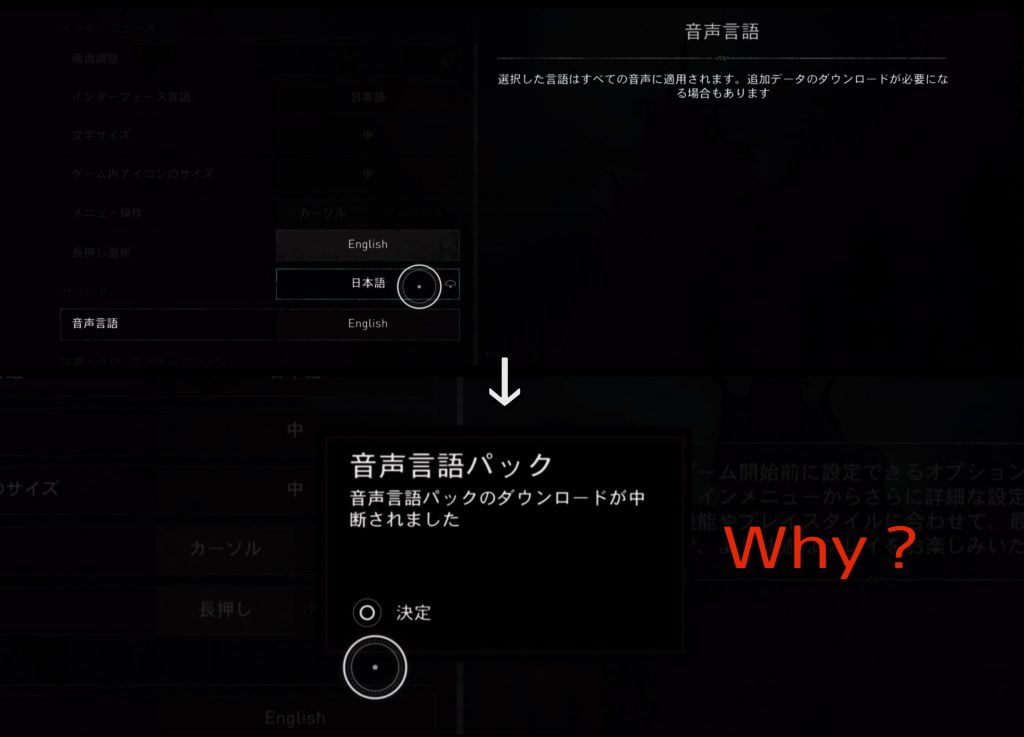
There are English or Japanese options for the voice language on the setting screen, and a download mark is displayed next to Japanese. If you select with the 〇 button, the download will start, but it will be interrupted immediately.
Of course, if you start the game as it is, the narration and characters will continue to speak fluent English 😓 The subtitles are in Japanese, but I don’t like playing while reading each one. Because you can’t pay attention to the facial expressions and movements of the character 💦
From the setting change screen in the game, the download is interrupted no matter how many times I try.
Then I will explain how to deal with it. When you press the PS button on the controller, a menu will appear at the bottom of the screen, so select the leftmost home (shaped like 🏠) with the ✖ button.
Then, as shown in the image below, it will switch to the home screen of the game mode.
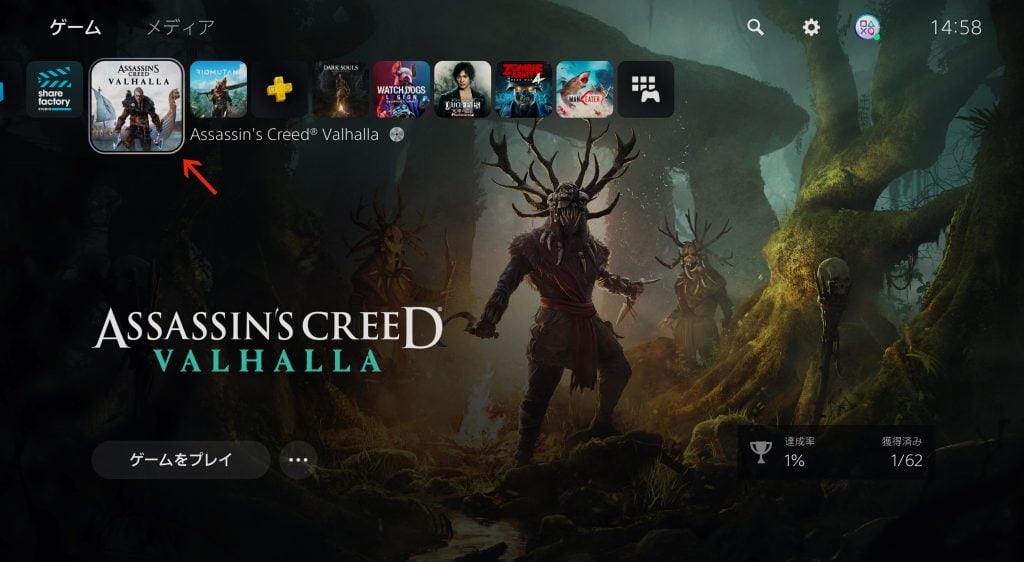
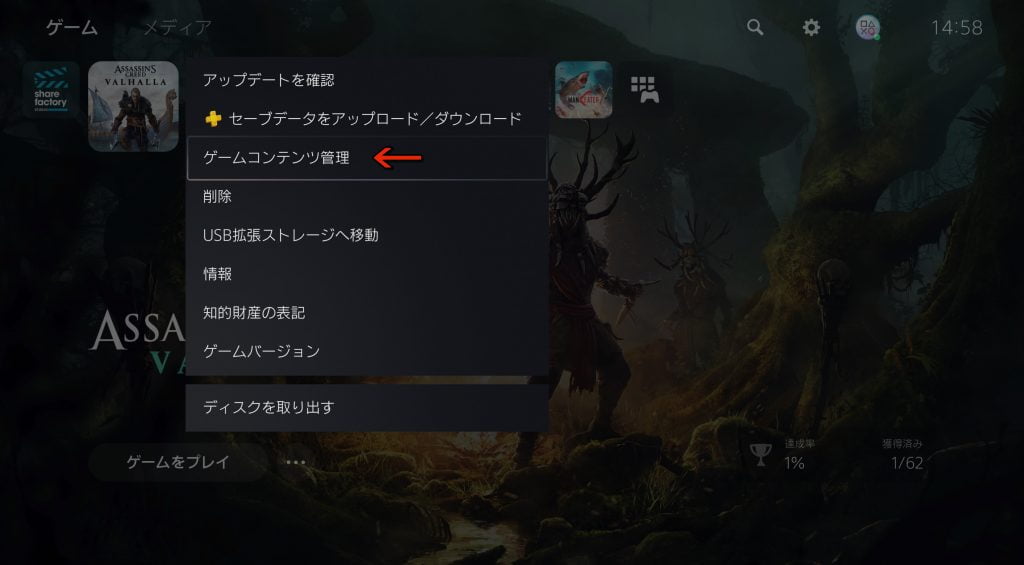
Now move the cursor to the Assassin’s Creed Valhalla icon and press the pause button on the controller (the position of the option button on the PS4 controller).
Then a window will open next to the icon, so select Game Content Management.
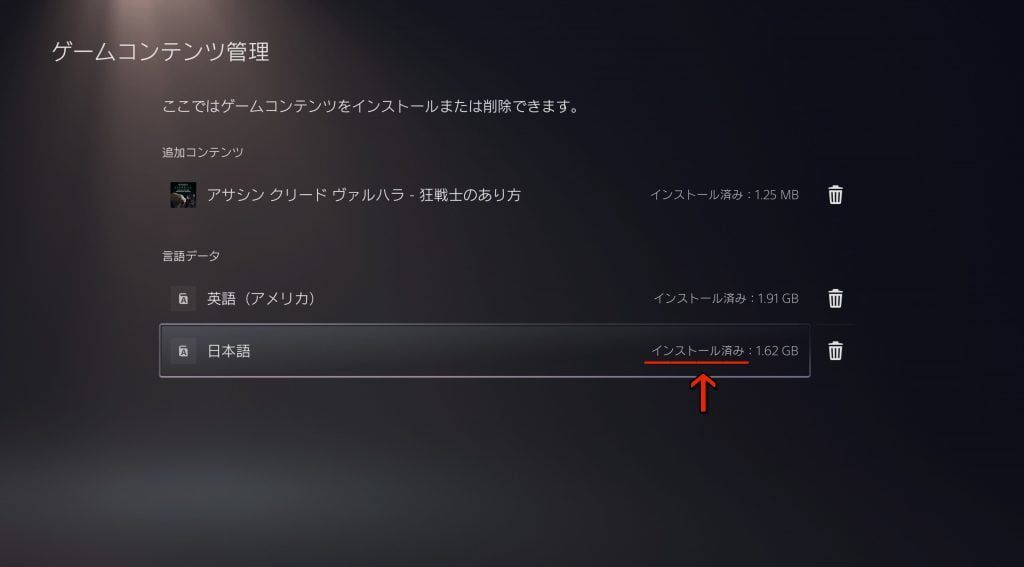
The screen will switch to the one below, so the Japanese at the bottom should not have been installed, so if you install it on this screen, you will be able to download it on the in-game settings screen.
I’m not sure if it’s only the PS5 version or all consoles, but the screen adjustment item is disabled. If you play as it is, personally, it is difficult to see in dark places such as night, indoors, and underwater because the visibility is poor.
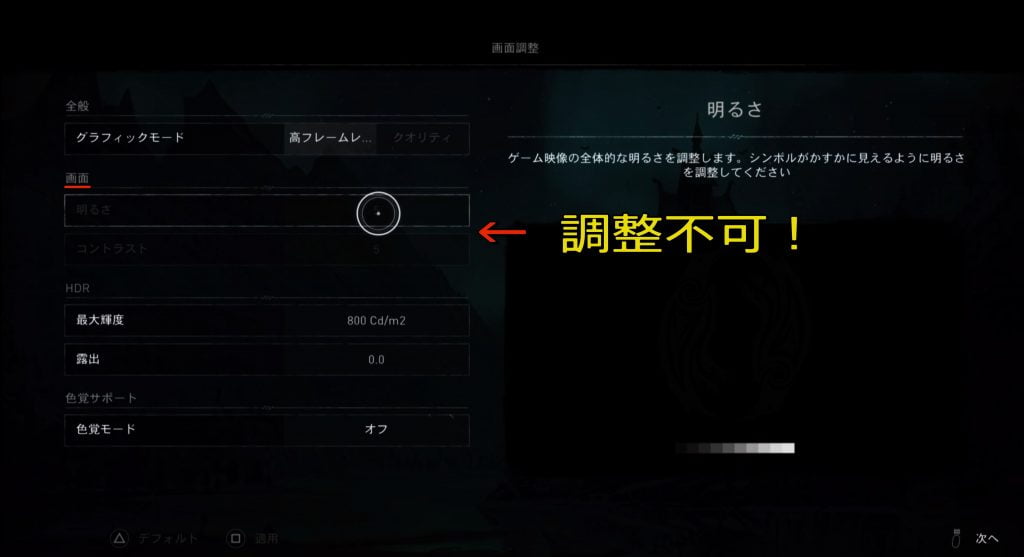
As a workaround, I was able to improve it by raising the brightness and exposure a little in the HDR item. (* ^^) v

I know that! I’m sure there are people who say that, but it may be useful for those who have just obtained the PS5 after a hard time.

Let’s have a fun game life for both young and old!


Born in 1967, just an ordinary person who likes games. A blog I started as a hobby after retirement. We mainly take up Playstation and PC games, and post real-life experiences and petite strategies. From 2023, we are working to focus a little more on YouTube. Please drop in with the intention of killing time.
Skyrim SE | Measures to overco……
Assassin’s Creed Valhall……
Ghost of Tsushima I’m st……
The item [Humanity] is mainly ……
Assassin’s Creed Valhall……
Dying Light | How to avoid tro……