
Skyrim SE | Knowledge I want to convey to beginners
I sang it profusely, but I myself am a beginner in Skyrim life. 😁 Isn’t it hard to find out a lot of explanations only in the document when you google this work that you encounter something you do not understand?

戦力外シニア
So, this time, it is the knowledge for Skyrim beginners, Skyrim beginners, and Skyrim beginners.

目次
Outline
- 1. Skyrim SE | Knowledge for beginners
- 1-1. How to delete a custom marker placed on the map
- 1-2. Quest management and destination confirmation
- 1-3. Save frequently!
- 1-4. “Rock pick” required in large quantities
- 1-5. Two-handed weapons (big sword, ax, etc.) tricks
- 1-6. About overweight
- 1-7. If you find a book, read it from the beginning
- 1-8. Loading screen image moves
Skyrim SE | Knowledge for beginners
The Elder Scrolls series itself is an RPG masterpiece with a history of more than 10 years and is still played by many players. SKYRIM is the fifth work in the series, and The Elder Scrolls V: Skyrim Special Edition was released in Japan on November 10, 2016.
It’s not uncommon for first-time players to come across something they don’t understand in gameplay. Many ancestors have introduced knowledgeable matters on the Internet, but surprisingly there are many explanations that are only written or difficult to understand in detail.
Of course, there are articles that are easy to understand, but it will be difficult to reach that article. So, I would like to introduce the knowledge that I, a beginner, investigated and noticed.
【目次】
How to delete a custom marker placed on the map
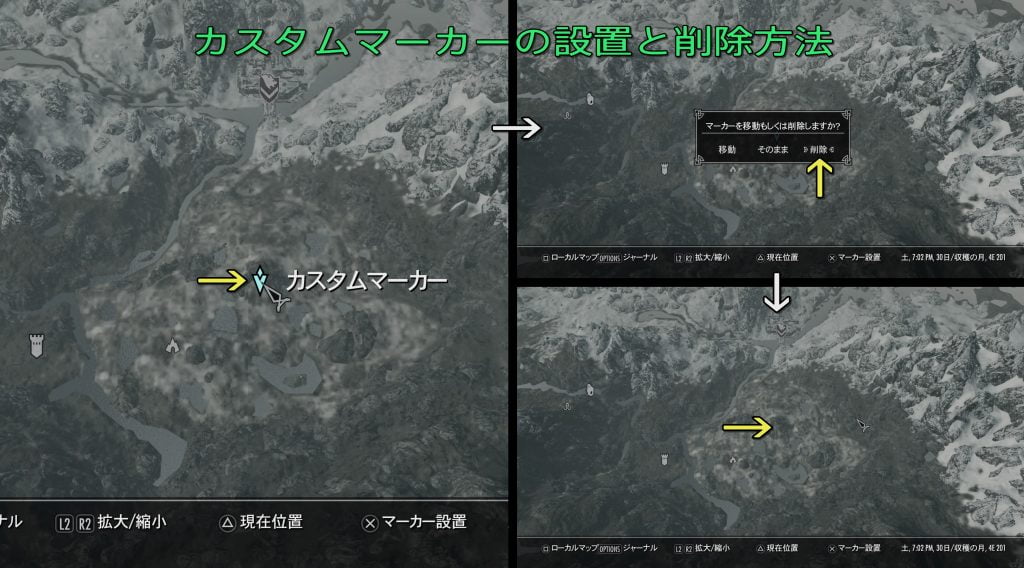
The first problem I had was how to remove the custom markers I placed on the map. It’s okay if you don’t mind it as it is, but it can’t be helped to notice it every time you open the map.
procedure
① Open the map.
② Move the cursor to an appropriate place on the map where there is nothing.
③ Press the marker installation button.
④ Select Delete from the expanded window.
This will remove the custom marker.
Quest management and destination confirmation
Here, we will talk about the contents of the quests that are currently ordered and how to manage their destinations.
In the world of Skyrim, many unique NPC live. Listening to NPC is one of the pleasures of this work, but there are many NPC who offer subquests.
The number of subquests and main quests that occur when talking to NPCs far exceeds that of the main quests, but it is up to the player to complete them. You can start your favorite quest at any time, from the ones that are used to the ones that work effectively for your skills.
Step ① Display method of management screen and selection of quest
① Press the option button (small button on the right side of the touchpad).
② Select an item with L2 or R2 in the open window.
③ Select a quest using the up / down / left / right buttons on the controller on the item quest screen.
At this time, the other items displayed are the subquests ordered from the NPC.

Step ② Display the destination of the selected quest
① Select a quest with the ✖ button on the quest management screen.
② When you execute the map display, the destination will be displayed on the map.
Save frequently!
Although this work has an auto save function, it is not saved frequently. You will also experience unexpected death when you encounter an enemy while exploring or moving.
You will have to redo the materials you obtained and the places you found them, so make it a habit to save them frequently.
procedure
① Press the option button (small button on the right side of the touchpad).
② Select the system with L2 or R2.
③ Execute quick save with the OK button.

“Rock pick” required in large quantities
As you defeat or explore bandits, you will notice the existence of an item called a “lock pick”. Actually, this is an item that will be needed in large quantities if you want to continue the adventure of Skyrim in the future.
It’s a picking tool needed to unlock a locked object. Lock picks are also sold at general stores.
“It’s okay to have something like this.” I think it’s okay to always have it.
How to use the lock pick
If you unlock with the lock pick, the screen below will be displayed.

The key has a difficulty level, and even if the keyway starts to rotate at a high difficulty level, it often breaks due to a slight catch during rotation. Also, it may break even if the rotation is fast.
The minimum thing to be careful about is “make sure to turn slowly”. In other words, “do not knock down the R stick too much”.
① Adjust the angle of the lock pick with the L stick.
② Tilt the R stick slightly to the left or right to check if it seems to move.
③ If it moves, knock down the R stick with a super slow motion, and if it starts moving, keep the stick state.
Unlocking video
Two-handed weapons (big sword, ax, etc.) tricks
In the early stages, you tend to rely on two-handed weapons with high basic attack power.
When it comes to equipping a two-handed weapon, you cannot equip a shield. In this case, the guard (L2) will be in a position to hold the weapon diagonally.
Offensive and defensive tricks
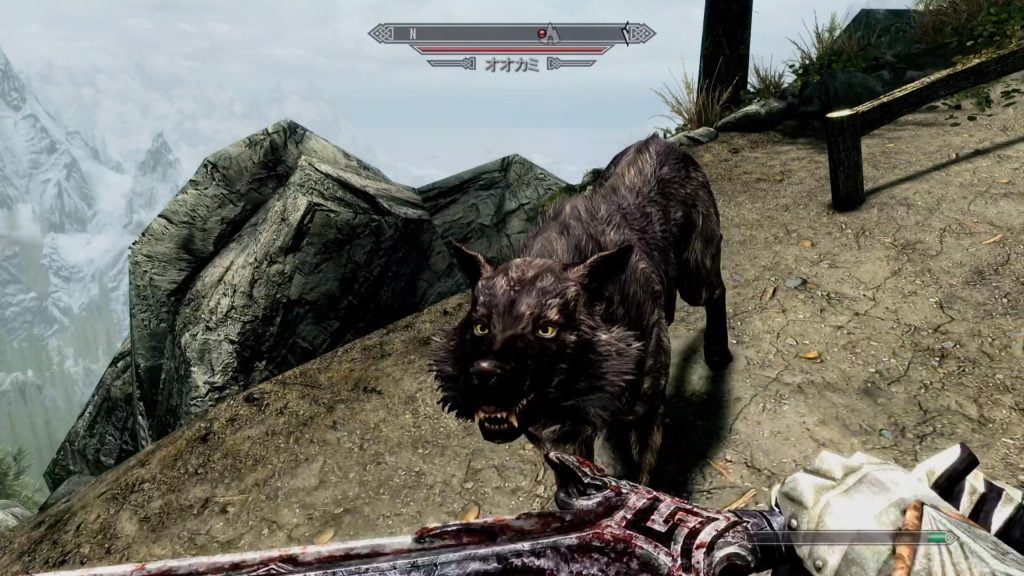
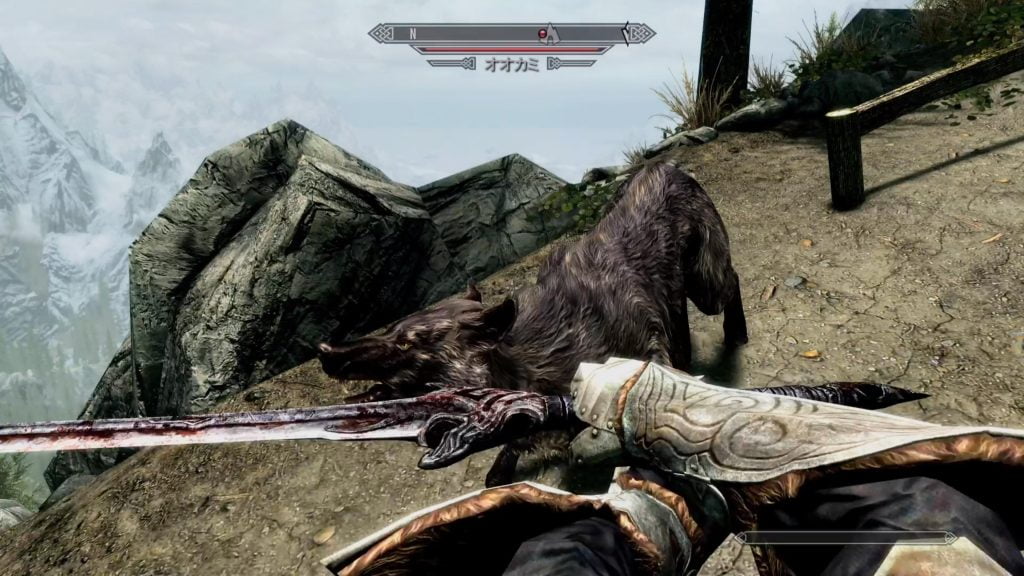
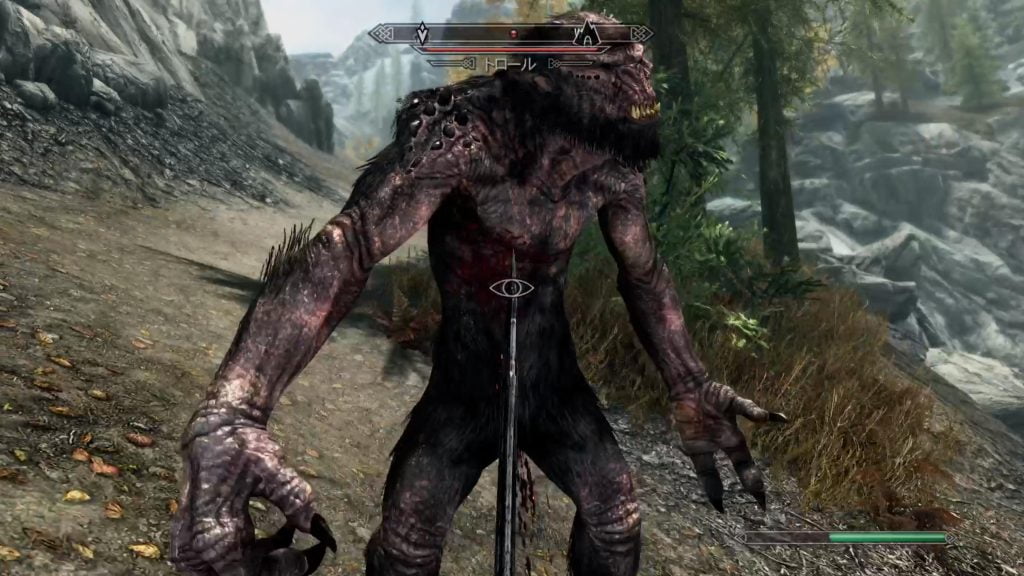
If you hold down (L2) and press (R2), the motion will be to push the diagonal weapon forward as it is. This can be used unexpectedly.
Weak enemies such as wolves can be defeated with just this.

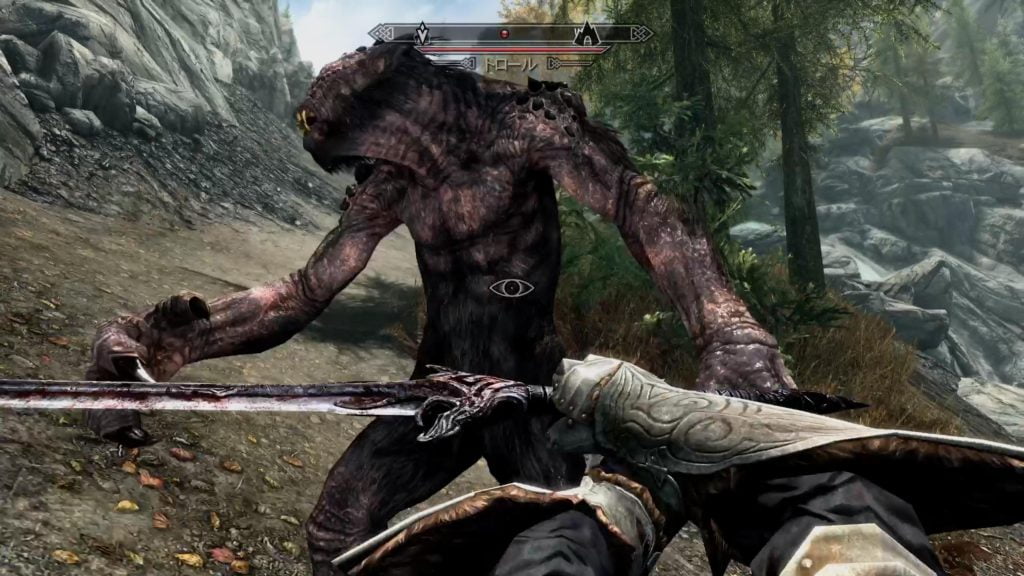
Normal enemies have a sneaking effect, so you can turn to attack as it is.


About overweight
In this work, the character has a weight limit, including the equipment that can be worn. If you take it with greed, it will soon become overweight and cause various problems.
Obstacles due to overweight
・ I can’t run. Anyway, it slows down, so if you encounter an enemy, you will inevitably die.
・ Fast travel will not be possible.
Possession weight check
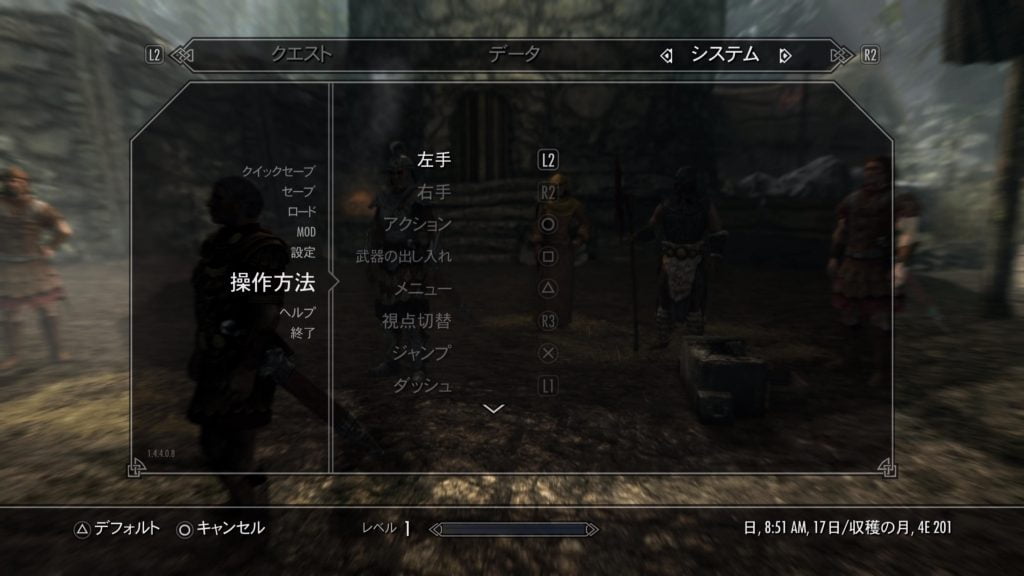
You can check the weight you currently have from the “Menu” at any time. The menu button can be confirmed by pressing the option button and operating the system.
By the way, key configuration is possible on the operation method screen. After selecting the item you want to change with the ✖ button, press the desired button to change it.

What to do when overweight
There are 3 options to deal with.
① Throw it away.
The quickest way to get started is this method, which anyone can easily imagine. However, since you do not know the value of things in the early stages, you will be worried about which one to throw away.
Armor is the most bulky item. I think that there are few things that are important to take away from the enemy in the early stages, so it is one way to take the plunge and throw away aything other than the ones that are equipped.
② Carefully walk to the nearest town and sell at the store.
In the world of Skyrim, you need some money. If you want to sell it at a store and make some money, let’s walk steadily. If you make a quick save on the way, even if you encounter an enemy and die, it will restart from the saved point, so you will not lose your efforts to walk to that point.
③ Have a valet.
As you progress through the game, you will be able to accompany your followers by satisfying certain conditions (such as clearing quests and winning battles). Some valets will accompany you when you pay, but it is not recommended because it is expensive.
When the valet talks to him, there is an item “I want to exchange my belongings”, and if I select this, I can hand over the luggage to the valet.
However, since the servant also has a weight limit, it is not possible to give as much as you want.

If you find a book, read it from the beginning
In this game, various movements are involved in skill improvement. In simple terms, “attacking an enemy with a one-handed weapon will increase your one-handed skill.”
Some books are skill-related, while others are just books. It is not necessary to read all the sentences in the book, and there are some that will improve your skills just by picking it up, so if you find a book in the middle of an adventure, pick it up from one end.

Loading screen image moves
It doesn’t matter about this, but if you move either the L or R stick, it will rotate or change the zoom. The image displayed on the item screen also moves.
Please try it for a little change.

戦力外シニア
Let’s have a fun game life for both young and old!

Skyrim SE | Impression Review | For those who are worried about playing
Skyrim SE | Embershard Mine | First mining


戦力外シニア Wrote this article

戦力外シニア 男性
Born in 1967, just an ordinary person who likes games. A blog I started as a hobby after retirement. We mainly take up Playstation and PC games, and post real-life experiences and petite strategies. From 2023, we are working to focus a little more on YouTube. Please drop in with the intention of killing time.
関連記事 Related articles


- 16日7月2022年
Elden Ring | A large shield named the ant’s head | The repelling effect is surprisingly useful
Elden Ring | The ant’s h……


- 12日7月2021年
Assassin’s Creed Valhara PS5 version | What to do if you can’t download the audio language pack in the game
Assassin’s Creed Valhall……

- 10日7月2021年
Assassin’s Creed Valhalla PS5 version | Start from now Valhalla Diary # 6 | Finally the decisive battle Cruel Kyotovi
Assassin’s Creed Valhall……

- 25日11月2021年
Skyrim SE | The Mask of Zahkriisos | Excellent thing with electric shock resistance UP and electric shock spell damage UP
Skyrim SE | Zahkriisos Mask | ……